Quick answer
How do you write a project brief for a freelancer?
To write a project brief for a freelancer, describe your business in two lines, state one clear goal, list the exact deliverables, name what is out of scope, share examples and access needs, and give the deadline, budget range and approval contact. Keep it to one or two pages in simple words, so the expert can quote and start fast.
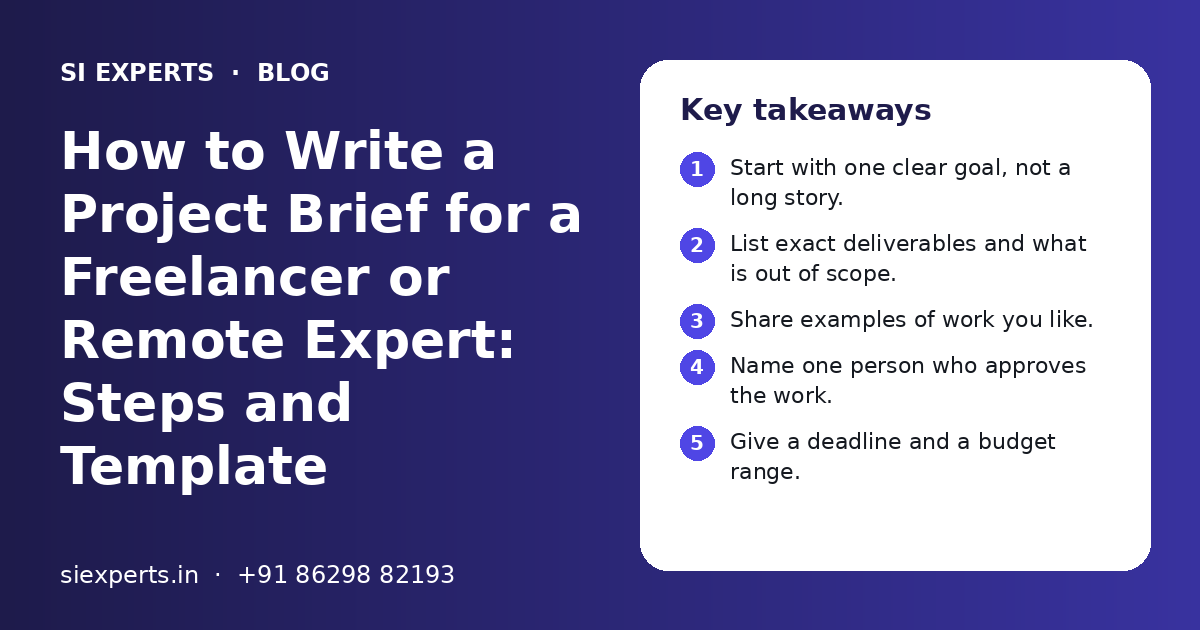
Key takeaways
- Start with one clear goal, not a long story.
- List exact deliverables and what is out of scope.
- Share examples of work you like.
- Name one person who approves the work.
- Give a deadline and a budget range.
- Keep the brief to one or two pages.
What is a project brief and why does a freelancer need one?
A project brief is a short written document that tells a freelancer or remote expert what you want, why you want it and how you will judge the result. It gives both sides the same picture before any work or payment starts.
Knowing how to write a project brief for a freelancer is a simple skill, but it changes a lot. A remote expert cannot walk into your office and ask quick questions. They only know what you write down. When the brief is clear, the quote is more accurate, the work starts sooner and there are fewer surprises later.
A brief is useful for any skill. You can use it when you hire SEO experts, a web developer, an ads manager, a designer or a content writer.
What should a project brief for a freelancer include?
A good brief includes ten parts: business background, goal, deliverables, out of scope, audience, examples, access and assets, timeline, budget range and contacts. You do not need long answers for each one.
The table below shows each part, what to write and a short example. Use it as your guide when you write the first draft.
| Brief section | What to write | Short example |
|---|---|---|
| Business background | Who you are and what you sell, in two lines | Family-run spice brand in Amritsar, selling online and to local shops |
| Goal | One main result you want | Get more orders from our own website, not only marketplaces |
| Deliverables | The exact things you will receive | New home page, 3 category pages, product page layout |
| Out of scope | What is not part of this job | Logo design, product photos, ad campaigns |
| Audience | Who the work is for | Home cooks in India, aged 25 to 50, mostly on mobile |
| Examples | Links to work you like and do not like | Two competitor sites and one site we dislike, with reasons |
| Access and assets | Logins, files and content you will share | WordPress admin role, logo files, product list in a sheet |
| Timeline | Start date, deadline and any fixed launch date | Start in 2 weeks, live before our festive sale |
| Budget range | A rough range or a monthly cap | A range for the first phase, open to a phased plan |
| Contacts and approvals | Who answers questions and who approves | Owner approves, manager answers daily questions on WhatsApp |
If a part does not apply, write "not needed" so nothing looks forgotten.
How do you write a project brief step by step?
Write the brief in seven steps: set the goal, list deliverables, mark the limits, describe the audience, collect examples, list access and set the timeline and budget. Then read it once as if you were the expert.
- 1
Write the goal in one line
Say what should change after the work is done. For example, "more calls from Google Maps" or "a faster checkout on mobile".
- 2
List the deliverables
Write the exact pages, campaigns, features or reports you expect. Use numbers where you can, such as five service pages or one landing page.
- 3
Mark what is out of scope
Write down the things the expert should not do or include. This stops arguments about extra work later.
- 4
Describe your audience
Say who your buyers are, where they live, what language they use and which device they mostly use.
- 5
Collect examples
Add two or three links you like and one you do not like. Write one line on why for each.
- 6
List access and assets
Note the logins, files, brand colours, content and product data you will share, and who will share them.
- 7
Set the timeline and budget range
Give a start date, a deadline and a rough range or cap. Mention any fixed date, like a festive sale or a trade fair.
After the draft, ask a colleague who does not know the project to read it. If they cannot explain the goal back to you in one sentence, make the brief simpler.
Is there a simple project brief template you can copy?
Yes. Copy the fill-in template below into a Google Doc, Word file or WhatsApp note, and answer each line in one or two short sentences.
Fill-in project brief template
| Question | Your answer |
|---|---|
| 1. Business name and what you sell | ... |
| 2. Website, store or app link | ... |
| 3. The one main goal of this project | ... |
| 4. Exact deliverables (list with numbers) | ... |
| 5. What is out of scope | ... |
| 6. Who the buyers or users are | ... |
| 7. Languages needed (English, Hindi, Punjabi or others) | ... |
| 8. Links you like, and why | ... |
| 9. Links you do not like, and why | ... |
| 10. Access and files you will share | ... |
| 11. Tools you already use (CMS, CRM, ad accounts) | ... |
| 12. Start date and deadline | ... |
| 13. Budget range or monthly cap | ... |
| 14. Preferred hiring model: hourly, monthly or project | ... |
| 15. Who approves work, and how fast | ... |
| 16. How you want updates (WhatsApp, email, weekly call) | ... |
| 17. How you will judge success | ... |
Quick check before you send it
- The goal fits in one sentence
- Every deliverable has a number or a clear name
- Out of scope items are written down
- At least two example links are added
- One approval person is named
- Deadline and budget range are filled in
- No passwords are written in the brief itself
Need help with your project?
Talk to the SI Experts team. Free first call, simple advice, clear quote.
How should the brief change for SEO, web, ads or design work?
The core parts stay the same, but each skill needs a few extra details. Add the items below for the type of expert you are hiring.
| Type of work | Extra details to add | Access usually needed |
|---|---|---|
| SEO | Main services, target cities, top competitors, any past traffic drop | Google Search Console, Google Analytics, website editor role |
| Web development | Platform, page list, features, payment needs like UPI, hosting details | Hosting or staging access, CMS admin role, domain panel if needed |
| Google or Meta Ads | Products to promote, target areas, monthly ad spend cap, lead form or call goal | Ad account access as a user, analytics, landing page access |
| UI/UX design | User journeys, screens needed, brand colours and fonts, device priority | Design files, brand guide, current app or site link |
| Content writing | Topics, tone, word count, keywords, languages, review steps | Brand voice notes, product details, CMS author role |
For example, when you brief our web development experts, add the page list, the features each page needs and where the site is hosted. When you brief someone for Google Ads, keep the ad spend cap separate from the expert's fee, because ad spend goes to the platform.
If you hire a UI/UX designer, add rough sketches or screenshots, even if they are drawn by hand. A photo of a paper sketch shared on WhatsApp is better than no sketch.
Project brief vs scope of work: what is the difference?
A project brief is written by you and explains what you want. A scope of work is usually written by the expert after reading the brief, and lists exactly what they will deliver, in what time, for what cost.
| Point | Project brief | Scope of work |
|---|---|---|
| Who writes it | You, the client | The freelancer or agency |
| When | Before quotes | After reading the brief |
| Main content | Goal, needs, examples, limits | Tasks, hours or milestones, cost, terms |
| Length | One or two pages | Can be longer, with details |
| Purpose | Explain what you want | Agree what will be delivered |
Read the scope line by line against your brief. If a deliverable from your brief is missing, ask about it before you accept. Our guide on the cost of hiring a remote expert explains how a clear scope keeps the quote fair.
What mistakes should you avoid when writing a brief?
The most common mistakes are a vague goal, no out-of-scope list, no examples, too many approvers and no budget hint. Each one adds hours and confusion.
Do this
- Write one clear goal you can measure
- Use numbers for pages, posts or campaigns
- Add links to work you like
- Name one approval person
- Give a budget range, even a rough one
Avoid this
- "Make it modern and attractive" with no examples
- "Do full SEO" with no list of tasks
- Five people giving feedback in five chats
- Hiding the deadline until work starts
- Writing ten pages that nobody reads
Keep the brief to one or two pages. For big jobs, add a separate page list or feature list. Also, do not change the goal quietly after the brief is shared. If your plan changes, update the brief in writing and send it again. Do not rely on a voice note or a quick call that the expert may remember differently.
What happens after you send the brief?
After you send the brief, the expert asks a few questions, shares a scope and a quote, and then you agree on access and a start date. A clear brief makes each of these steps quicker.
- The expert reads the brief and lists open questions.
- You answer the questions in writing, or on a short call.
- The expert shares a scope, timeline and quote.
- You compare the scope with your brief and fix gaps.
- You agree on the hiring model, payment and GST invoice details.
- You share access through user roles and start the work.
If you are not sure about an expert's skill, give a small paid test task based on the same brief. Our guide on how to test a freelancer before hiring explains how. Once you hire, our remote expert onboarding checklist shows what to set up in week one.
SI Experts is powered by Shivah Web Tech, with an 11+ year parent team, 25+ in-house specialists and 500+ projects. We work Mon to Fri, 9:30 to 6:30 IST, with 24x7 emergency support for urgent issues. Agencies can also share client briefs with us through our white label agency partner model. Send us your brief, or even a rough draft, and you get a clear quote after a free call.
Frequently Asked Questions
What is the difference between a project brief and a job post?
A job post is short and public. It tells people you need someone with a certain skill. A project brief is more detailed and is shared with the experts you are talking to. It explains the goal, deliverables, limits, timeline and budget range, so the expert can give an accurate quote and plan the work properly.
Should I share my budget in the project brief?
Yes, a rough range or a monthly cap helps a lot. Without it, experts may suggest plans that are far too big or too small for you. A range lets them shape the work to fit, such as a smaller first phase. You do not need an exact number, and you can still compare quotes from different providers.
Can I write a project brief in Hindi or Punjabi?
Yes, if the expert reads that language well. Many Indian experts are happy to read a brief in Hindi or Punjabi. If the expert works from another state or country, English is safer. You can also write the main points in simple English and add notes in your own language where it helps explain the idea.
How do I brief a freelancer if I am not technical?
Focus on the result you want, not on the technology. Say what the customer should be able to do, such as book an appointment or pay by UPI. Add examples of sites you like. Let the expert suggest the tools. Ask them to explain their plan in simple words before you agree to it.
Should I include passwords in the project brief?
No. A brief is often shared with more than one provider, so it should never contain passwords. Once you hire someone, give access through user roles on each platform, such as an editor role on your website or user access on your ad account. You can remove that access easily when the work ends.
How many example links should I add to a brief?
Two or three links you like and one link you do not like is usually enough. For each link, write one line on what you like or dislike, such as the colours, the layout or the way the menu works. Without these notes, the expert may copy the wrong thing from the example.
What if my needs change after I send the brief?
Update the brief in writing and send the new version to the expert. Mark what changed at the top. Small changes can often fit in the same quote, but bigger changes may change the time and cost. Agreeing changes in writing avoids confusion and keeps both sides clear about what is included.
Can SI Experts help me write a project brief?
Yes. If you only have a rough idea, share it on a free call. We ask simple questions about your goal, audience, deadline and budget range, and then help turn the answers into a clear scope. After that, you get a clear quote for the expert or team you need, on hourly, monthly or project terms.