Quick answer
How do you check the quality of a freelancer's work?
To check freelancer work quality, compare the work with the written brief, test it yourself on a phone and laptop, check the real numbers in your own tools like Search Console, Analytics and Ads Manager, ask the freelancer to explain what they did in plain words, and review on a fixed weekly or monthly schedule with a short checklist.
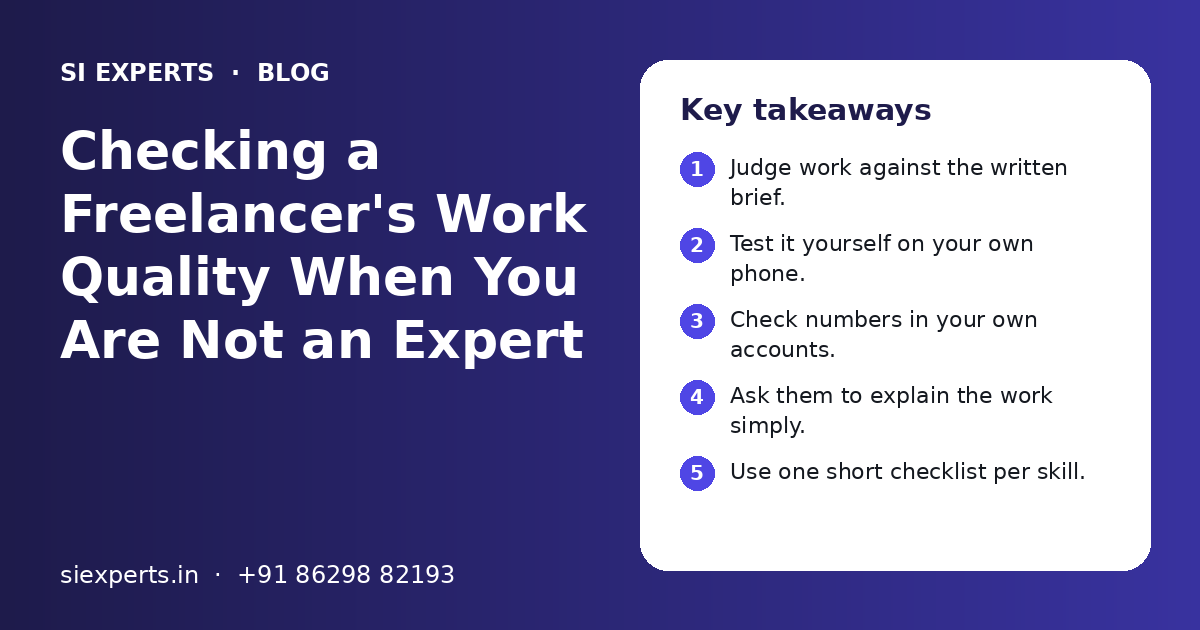
Key takeaways
- Judge work against the written brief.
- Test it yourself on your own phone.
- Check numbers in your own accounts.
- Ask them to explain the work simply.
- Use one short checklist per skill.
- Give clear, written feedback quickly.
Why should you check a freelancer's work quality?
You should check freelancer work quality because you pay for results, not for hours or files. Regular checks catch small problems early, before they cost you leads, sales or search rankings.
Testing someone before hiring is only the first step. Our guide on how to test a freelancer before hiring covers that part. This guide is about what comes next: the weeks and months of real work.
Quality can slip over time. A freelancer may take on more clients or rush near a deadline. This is not always bad intent. But if nobody checks, small gaps grow.
The good news is that you do not need to be an SEO or coding expert. You need a clear brief, access to your own tools, and a few simple tests for each type of work.
What should you set up before you review any work?
Before you review work, you need three things: a written brief with clear goals, full access to your own accounts, and an agreed way the freelancer will report. Without these, you have nothing fair to judge against.
- A written brief that says what done looks like for each task
- Your own logins for website, hosting, Search Console, Analytics, Google Ads and Meta Business Suite
- The freelancer added as a user, not using your main password
- A fixed report format: what was done, what changed, what is next
- A fixed review day, such as every Friday or the first Monday of the month
- One shared place for files and notes, such as a Google Drive folder
If your brief is vague, the work will be judged on feelings. Our guide on how to write a project brief for a freelancer shows how to make it clear. The remote expert onboarding checklist covers access and first-week setup.
What simple tests work for any type of freelance work?
Five simple tests work for almost any freelance work: match it to the brief, try it yourself, check the numbers, ask for a plain explanation, and look at a small sample closely. Each test takes only a few minutes.
- 1
Match the work to the brief
Open the brief next to the delivery. Tick each item. Note anything missing or different from what was agreed.
- 2
Try it yourself
Open the page, ad, post or design on your own phone and laptop. Click every button. Read every line as a customer would.
- 3
Check the numbers in your own tools
Do not rely only on screenshots in a report. Log in to Search Console, Analytics or Ads Manager and see the same numbers yourself.
- 4
Ask for a plain explanation
Ask the freelancer to explain what they did and why in simple words. Good experts can explain their work to a business owner.
- 5
Spot-check a small sample
Pick two or three items at random, such as one blog post, one page or one ad set, and check them in detail.
If you still feel unsure about a technical point, a second opinion helps. A short review from another expert, such as one of our SEO experts, can confirm whether the work is sound.
How do you check SEO work done by a freelancer?
Check SEO work by looking at Google Search Console yourself, reading the pages they changed, and asking for a list of tasks with links. SEO takes time, so judge the quality of tasks first and results over months.
- Search Console shows no new errors in page indexing after their changes
- Pages they edited have clear titles, headings and useful text, not stuffed keywords
- Every task in the report has a link or screenshot you can verify
- New content reads well and answers real customer questions
- Links they built come from real, relevant websites, not bulk link lists
- They explain which pages they will work on next and why
A simple test: search Google for your main service and city, such as "interior designer in Mohali", and see which page of yours shows. Do this once a month on the same device and note the result. Do not expect quick jumps.
Be careful if reports only show big charts with no list of tasks, or if the freelancer will not say where links come from. For deeper technical checks, a technical SEO expert can review the site.
Need help with your project?
Talk to the SI Experts team. Free first call, simple advice, clear quote.
How do you check a website or code from a developer?
Check a developer's work by testing the site on real phones, filling every form, checking page speed with a free tool, and confirming the code is saved in a place you own. Never accept work only by looking at screenshots.
- Every page opens and looks right on Android and iPhone screens
- Contact forms, WhatsApp buttons and payment links actually work
- Test form entries reach your email or CRM
- Pages load fast on mobile data, not only on office Wi-Fi
- The site has a backup and you know where it is stored
- Code is in your Git account or your hosting, not only on their laptop
- They gave you a short note on what was changed and how to update it
Use Google's free PageSpeed Insights to check speed on mobile. You do not need to understand every line of the report. Just compare the score before and after their work.
For an online store, place a real test order with UPI and with a card, then cancel it. Check that the GST details, invoice and order email look correct. If you are planning a bigger build, see how we work as web development experts.
How do you review Google Ads and Meta Ads work?
Review ads work by logging in to your own Google Ads and Meta Ads Manager accounts, checking that tracking records real leads or sales, and looking at cost per lead over time. Clicks and likes alone do not show quality.
| What to check | Google Ads | Meta Ads |
|---|---|---|
| Tracking | Conversions count real form fills, calls or sales | Pixel or Conversions API records real leads or purchases |
| Search terms or audience | Search terms report shows relevant searches | Audiences match your real buyer and location |
| Ads | Several ad versions are being tested | New creatives are tested, old weak ones paused |
| Budget | Spend matches the agreed daily budget | Spend matches the agreed daily budget |
| Lead quality | Leads are real people who need your service | WhatsApp chats and form leads are genuine |
| Reporting | Report numbers match the account | Report numbers match Ads Manager |
The best test is simple. Ask your sales team or yourself: how many leads this month were real buyers? An ad expert should care about this as much as you do.
If you need help reviewing an account, our Google Ads experts and Meta Ads experts can do an account check.
How do you judge social media and design work?
Judge social media and design work by checking it against your brand style, reading every caption for mistakes, and seeing whether posts start real conversations or enquiries. Pretty posts that bring no chats are not enough.
Social media checklist
- Posts went out on the agreed days in the content calendar
- Colours, fonts and logo match your brand style
- Captions have no spelling mistakes in English, Hindi or Punjabi
- Comments and DMs are answered within the agreed time
- Festival and local posts are planned ahead, not rushed
- Insights show which posts brought profile visits or enquiries
Design checklist
- Text is easy to read on a small phone screen
- Logo is sharp, not stretched or blurred
- You received the source files, such as Figma or editable files
- Designs work in the sizes you need: post, story, print or web
- Images and fonts are properly licensed for business use
For UI design, ask for a clickable prototype and try it as a user. Our UI/UX designers and social media experts follow these same checks.
What are the red flags of poor quality freelance work?
The main red flags are reports you cannot verify, work that does not match the brief, missed deadlines without warning, copied content, and refusal to explain what was done. One flag is a reason to talk. Several flags are a reason to act.
Signs of good work
- Every task in the report can be checked
- They flag problems before you find them
- They explain choices in simple words
- Work improves after your feedback
- Files and access stay with you
Red flags
- Reports show only charts, no task list
- Text copied from other websites or AI output pasted without checks
- Deadlines missed with no message
- Same mistakes repeat after feedback
- They avoid sharing source files or logins
Many of these problems start with weak setup, not weak skill. Our list of remote expert mistakes to avoid explains how to prevent them.
How do you give feedback to a freelancer?
Give feedback in writing, quickly, and with clear examples. Say what is good, what needs to change, and by when. Specific feedback gets fixed. Vague feedback like "make it better" wastes time on both sides.
| Vague feedback | Clear feedback |
|---|---|
| The page looks off | On mobile, the contact button is hidden below the fold. Move it up. |
| Ads are not working | We got leads from outside our city. Please limit ads to Tricity only. |
| Posts are boring | Add one customer question post each week, in Hindi and English. |
| SEO is slow | Please share which pages you changed this month, with links. |
Share feedback on WhatsApp or email, then keep a copy in your shared sheet. Give one round of combined feedback, not ten small messages a day. Agree in your contract how many revision rounds are included. Our guide on what to include in a freelancer contract covers this.
If quality does not improve after two clear rounds of feedback, it may be time to change. A team setup with review by a senior lead can help. SI Experts is powered by Shivah Web Tech, with 11+ years of work and a 25+ member in-house team, so key work is reviewed before it reaches you. Cost depends on the skill and hours. You get a clear quote after a free call, so contact us to talk.
Frequently Asked Questions
How often should I check my freelancer's work?
For ongoing work, a short weekly check and a deeper monthly review work well. Weekly, look at what was delivered against the plan. Monthly, check the numbers in your own tools and look closely at a few sample items. For a one-time project, check at each milestone before you release the next payment. A fixed schedule keeps reviews calm and fair.
How can I check SEO work if I do not understand SEO?
Ask for a monthly list of tasks with a link for each one. Open those links and see that the changes are real. Log in to Google Search Console yourself and look for new errors. Ask the freelancer to explain each task in plain words and why it matters. If they cannot explain it simply, ask for more detail before you accept it.
What free tools help me review freelance work?
Google Search Console and Google Analytics help you check SEO and website traffic. PageSpeed Insights checks site speed. Google Ads and Meta Ads Manager show real ad numbers. Instagram and Facebook insights show post reach and profile visits. A simple Google Sheet helps you track your review notes each month so you can spot patterns over time.
Should I trust the reports a freelancer sends me?
Reports are useful, but always check a few numbers in your own accounts. Most honest freelancers will be happy that you look. A good report lists tasks done, changes in key numbers, problems found and the plan for next month. Be careful if a report has only charts and no task list, or if numbers do not match what you see.
What should I do if the work quality is poor?
First, check that your brief was clear. Then share written feedback with specific examples and a date to fix them. Give one or two clear rounds. If the same problems repeat, pause new work, collect all files and access, and end the contract as agreed. Keep payments tied to milestones so you are never far ahead of the delivered work.
Is AI-written content from a freelancer a problem?
Using AI tools is not a problem by itself. The problem is content that is pasted without checking facts, adding real knowledge or matching your brand voice. Read the content as a customer would. Check that facts about your business are correct and that it answers real questions. Agree in the brief whether AI tools can be used and how output must be checked.
Can I hire someone to review another freelancer's work?
Yes. A short review by a second expert is a good idea for technical work like SEO, code or ad accounts, where problems are hard to see. Give the reviewer view-only access where possible. Ask for a short written list of what is fine, what needs fixing and what is risky. This helps you have a fair talk with your freelancer.